The Plex companion for your Mac
StreamBridge finds films, sorts out subtitles and adds them to your Plex library without downloading them, so they play on every Plex app you own.
Download freemacOS 15+ · Pro is $39 once

StreamBridge finds films, sorts out subtitles and adds them to your Plex library without downloading them, so they play on every Plex app you own.
Every poster opens into the film's own page, with its artwork, ratings, stills and the films people watch alongside it.

Plex is very good at playing what's in your library, and StreamBridge takes care of everything before that.
| Feature | Plex alone | With StreamBridge |
|---|---|---|
| Add any film or series to your library | Only files you have | Yes |
| Disk space per film | The whole file | About 25 MB |
| Choosing which file to play | Up to you | Picked for you |
| Stremio catalogs as Plex collections | No | Kept up to date |
| Your Plex Watchlist | A list to look at | A collection you can play |
| A collection made from a sentence | No | Pro |
| Search by what a film is about | No | Pro |
| Subtitles timed to the exact file | Search, may not match | Pro |
| Subtitles translated when none exist | No | Pro |
| Two subtitle languages at once | No | Pro |
| A 1080p version beside every 4K film | If you store both | Yes |
| A new link if one breaks mid-film | Not needed | Automatic |
StreamBridge finds subtitles for the exact version you'll play and lines them up with it, translating them when nobody has written any in your language, and they appear in Plex's own subtitle menu on every device.
How subtitles work

A show opens as a deck of its seasons and arrives in Plex with proper episode names and artwork, and the next episode is prepared while you're still watching this one.
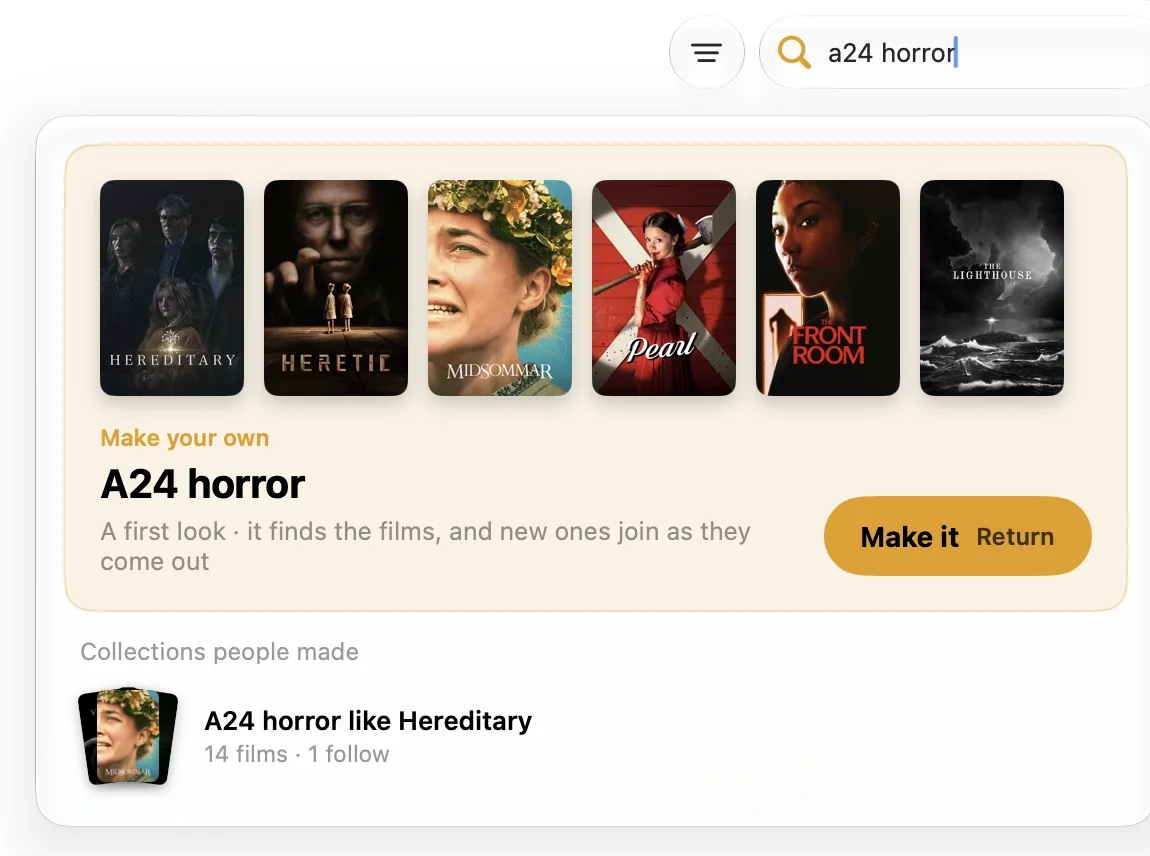
Type a director, a mood or a film it should be like, and StreamBridge fills a Plex collection that keeps itself current. Anyone can try the preview before buying.
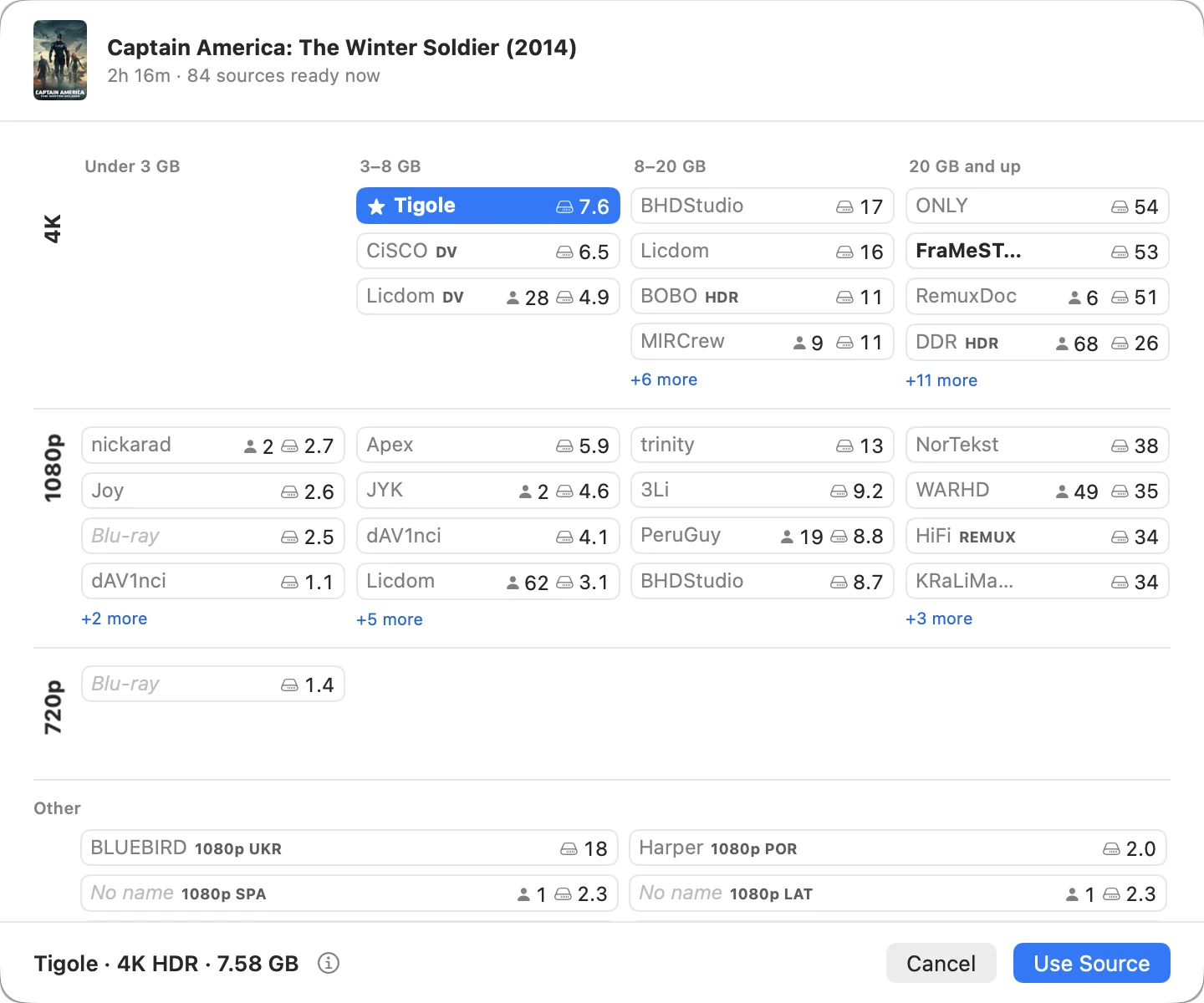
A 4K film comes with a 1080p version under the same title, which is what you want on a hotel or rental TV that can't play 4K, or on Wi-Fi that can't carry it.
You choose a film rather than scrolling a list of file names.
If a link expires mid-film, a new one is fetched and the film carries on.
The first few seconds of each title are kept on disk, so pressing play feels local.
Whatever is playing keeps playing after you close the app.
See what's playing and what's on its way into Plex without the window.
Plex sees an ordinary library, so every Plex app plays it.
Your library, streams and what you watch never leave it.
One Mac app next to the Plex server you already have, with no Docker or NAS.
macOS 15 (Sequoia) or later on Apple silicon or Intel, with Plex Media Server on the same Mac and a Real-Debrid account. Refunds within 14 days, no reason needed.
Yes. Follow Stremio movie and series catalogs in the Mac app, then browse them as collections in Plex on your TV or phone. You don't need Stremio where you watch.
Stremio with PlexNo. Movies stream while you watch. StreamBridge keeps about 25 MB per title so playback starts quickly.
How it worksNo. StreamBridge is a Mac app. It runs next to Plex Media Server on your Mac, and you watch in the Plex app on Android, Android TV, iPhone, Apple TV, Roku or a browser.
A Mac, Plex and Real-Debrid. StreamBridge runs on the Mac and adds a library to the Plex server you already have. Streams come from your own Real-Debrid account.
No. Plex sees a normal library folder.
Yes. Shows appear in Plex with seasons and episodes, and the next episode is prepared while you watch.
Added in 2.0Yes, with Pro. It finds, times and translates subtitles for films and episodes, and can show two languages at once.
How subtitles workYes. It works anywhere Plex does.
Yes, with Pro. Type what you want, like a director, a mood or a film it should be like, and StreamBridge finds the films and keeps the collection current in Plex. Anyone can see the preview.
No. It's free to use. Pro is a one-time purchase.
Typed collections and subtitle work. Your library, streams and viewing history stay on your Mac. What you type into the Collections or movie search goes to our server to find the films. For Pro subtitles, the film's ID, a short audio clip and the subtitle text go through our relay to be timed and translated.