The technical bit
How StreamBridge actually works.
Everything else on this site is about what you get. This page is about how it's done: a virtual disk, on-demand streaming, and a small cache so Plex feels like local media.
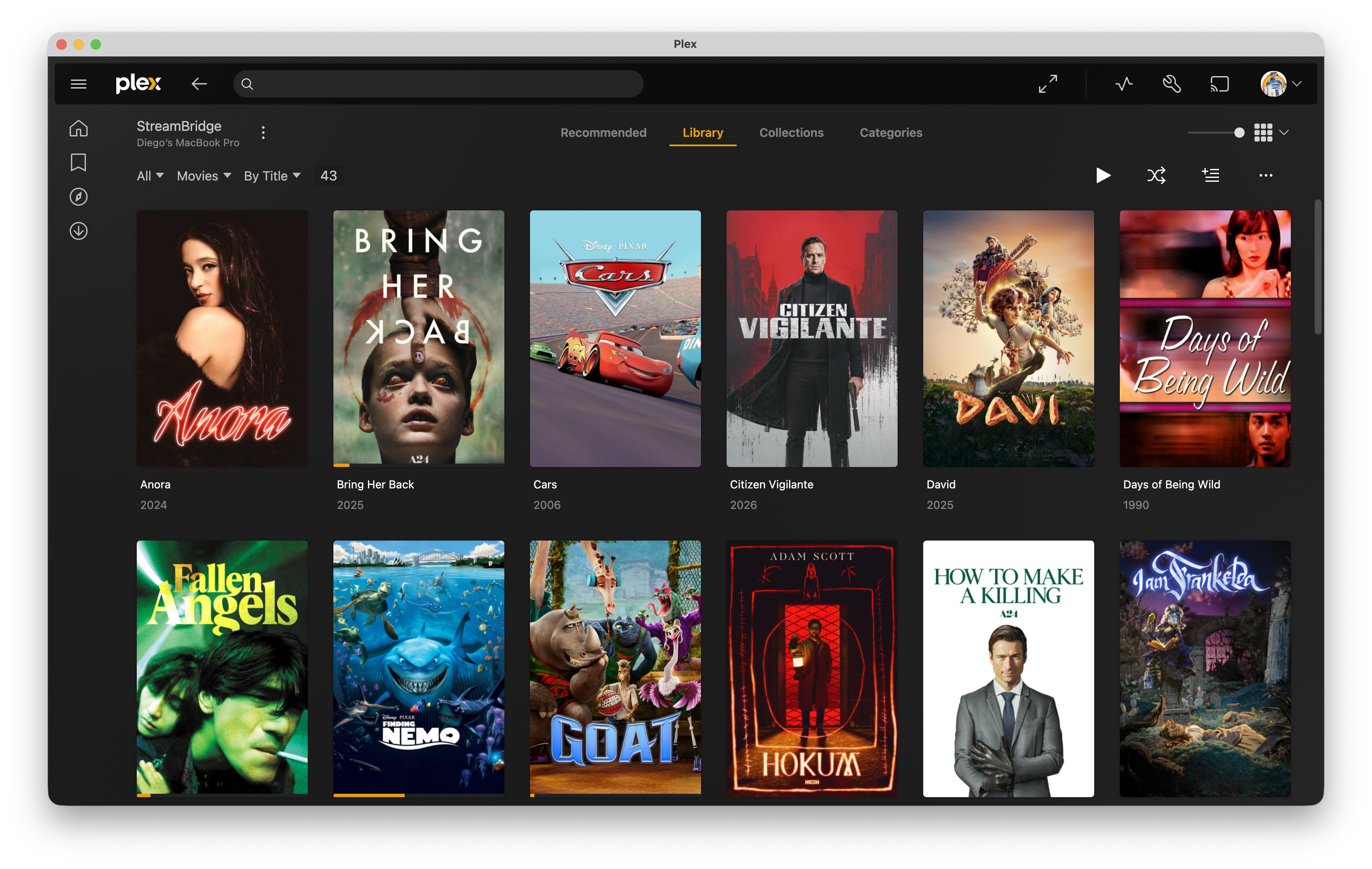
A library folder Plex already understands
StreamBridge mounts a virtual disk on your Mac and points Plex at it as a library folder. Plex scans it and sees real files: artwork, watch state, remote play, all like local media. But the movies aren't on your drive.
Stream as you watch
When Plex reads a file, it only asks for the byte ranges it needs: scanning, seeking, playback. StreamBridge fetches those on demand from your stream sources, not the whole file. You never download a movie you aren't watching.
A small cache, not the movie
StreamBridge keeps a little data on your Mac so scans and starts feel instant: about 25 MB per title (~6 GB for 240 4K movies). Not the film itself. You can see the size in Settings. Add a hundred 4K movies and you're still talking gigabytes, not terabytes.
What StreamBridge handles for you
Finding a working stream, serving data exactly the way Plex expects it, keeping playback alive when a source hiccups, and swapping to a fresh link mid-movie if one expires. Plex never knows the difference.
What you need
A Mac running StreamBridge, a Plex server (local or on your network), and a Real-Debrid account for streams. Everything runs on your Mac. There's no StreamBridge cloud.