Browse like Stremio · Watch in Plex
Everything StreamBridge does, so you don't have to.
Browse Stremio movie catalogs in a native Mac app, then watch in Plex on every device. StreamBridge finds streams, adds movies to your library, and keeps playback running so you can just press play. Built for movies today; TV series are on the way.
The core
Movies in Plex, not on your drive
Add a movie and it shows up in your Plex library like any other title. Press play and it streams as you watch. Nothing full-size sits on your Mac; a small cache per title (~25 MB) keeps scans and starts fast. Add a hundred 4K movies and you're still talking gigabytes, not terabytes. How it works →
The core
Heavy lifting, handled
Between pressing play and the movie starting, there is plenty to handle: finding the source, picking the right link, keeping the stream alive. StreamBridge does all of it in the background, preferring sources that start instantly and keeping the movie going if a link breaks without you noticing. If something stumbles, it fixes itself without you touching anything.
Getting set up
Connects to your Plex server
Point StreamBridge at the Plex server you already run, local or anywhere on your network. You sign in to Plex in your own browser, so StreamBridge never sees your password, then pick a server from the list and you're connected.
Getting set up
Bring your own Real-Debrid
Streams come from your Real-Debrid account. Paste your account key once and StreamBridge handles the rest: finding links, picking fast sources, streaming as you watch. Your account stays on your Mac.

Finding things
Stremio catalogs, native and fast
Subscribe to movie catalogs from Stremio (Popular, New, Featured, or any genre), and StreamBridge keeps them fresh. Collections update on their own; you can also pull the latest from a catalog any time. Browse posters and movie info in a fast native Mac app. Not a website in a window. TV series catalogs aren't supported yet.
Finding things
Streams that pick themselves
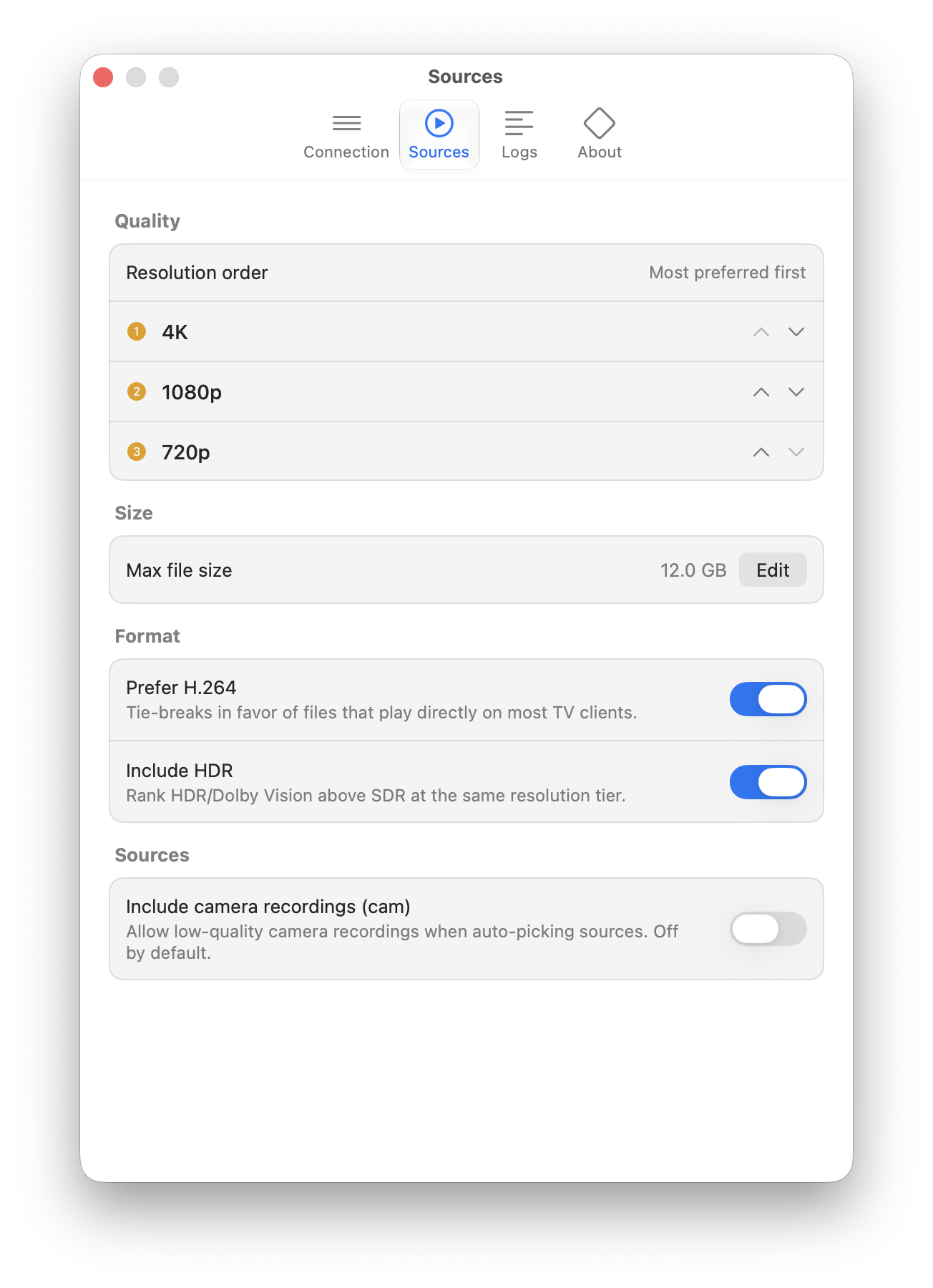
Tell StreamBridge your preferences once in Settings (resolution order, max file size, formats, sources), and it finds the best stream automatically. Add a movie and it's just there; you never see a list of links. And when you do want to choose by hand, the stream picker is still one click away, with quality and size up front and fast sources marked.

Organizing
Collections that stay current
Each movie catalog becomes a Plex collection. StreamBridge keeps rows up to date without you babysitting a download queue. Movies show up in your library right away; tap one to get it ready, or prepare the whole collection in the background. In Plex on the TV, browse those collections like you'd flip through Stremio, except it's your Plex app, your remote, your household.

The boring stuff
A real Mac app
StreamBridge is a native Mac app with a proper interface: windows for browsing catalogs, managing collections, and settings that look like settings. It is not a background tool you configure in a text file. A compact menu bar mode is on the roadmap for when you'd rather forget it's there.
The boring stuff
Private by design
There's no StreamBridge cloud and no account to create. Your Plex sign-in happens in your own browser, your login details stay on your Mac, and your library and viewing habits never leave your machine. The only network traffic is your streams.
The boring stuff
It keeps itself up to date
Updates download and install themselves in the background, signed and verified. Settings are a couple of tabs, not a control panel. The app asks for attention as rarely as possible.
The boring stuff
Honest pricing
StreamBridge is free to use. When you want unlimited collections, StreamBridge Pro is a one-time purchase, not a subscription. Buy it once, it's yours.
See pricing →